Software for landscaping companies
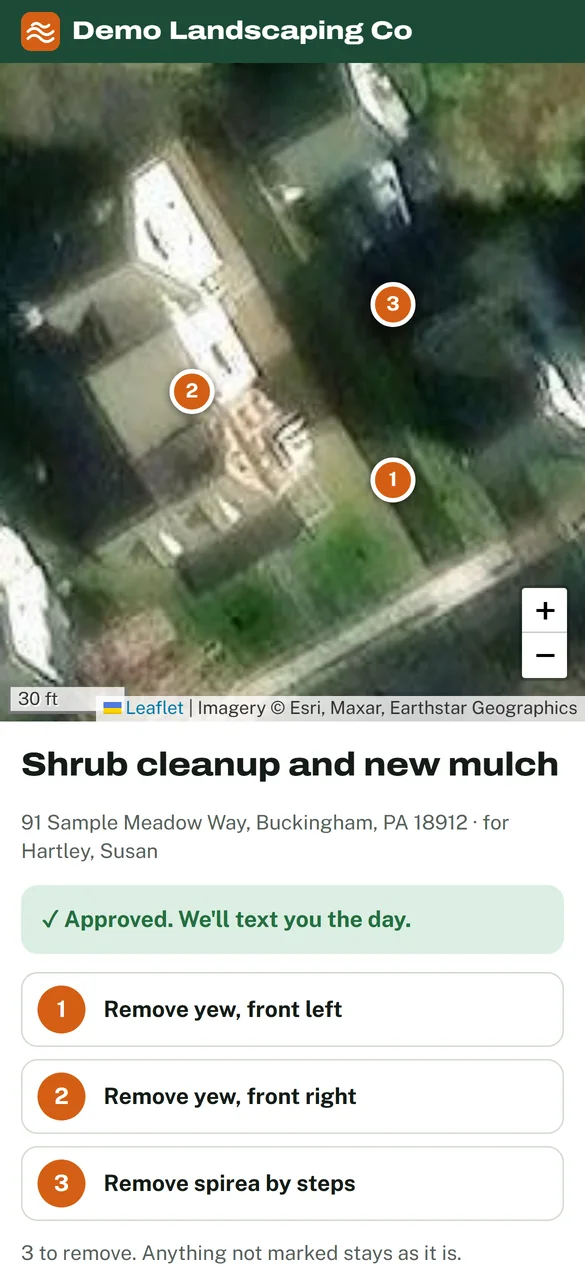
Mark the work on a photo of the yard.
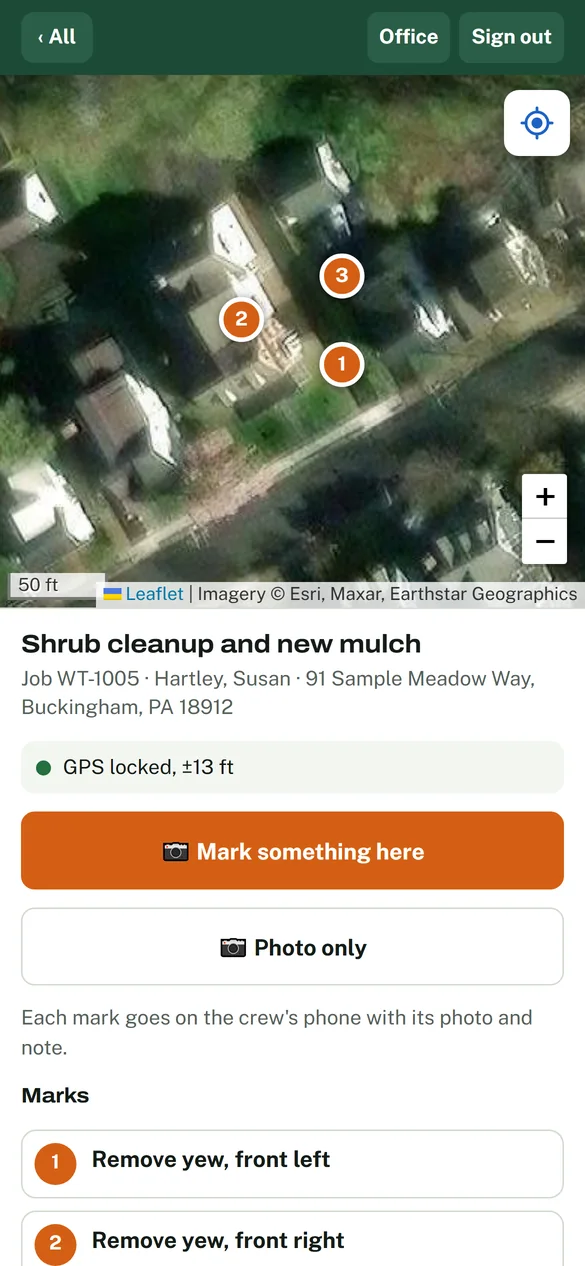
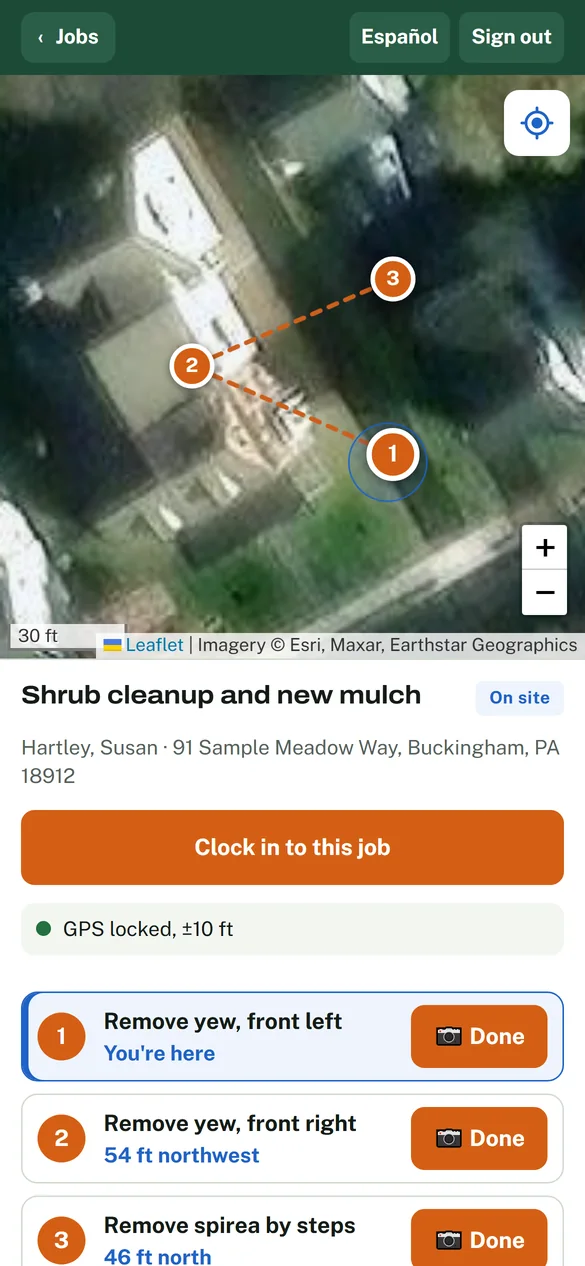
Walk the property, photograph what needs doing, and pin each item on an aerial photo. Your customer approves that exact map, and your crew's phones take them to every mark. Level Yard runs the rest of the job too, from estimate to invoice.
Plan approved by the customer
- QuickBooks Desktop and Online
- Free to try before spring
- No signal? The crew phone still works
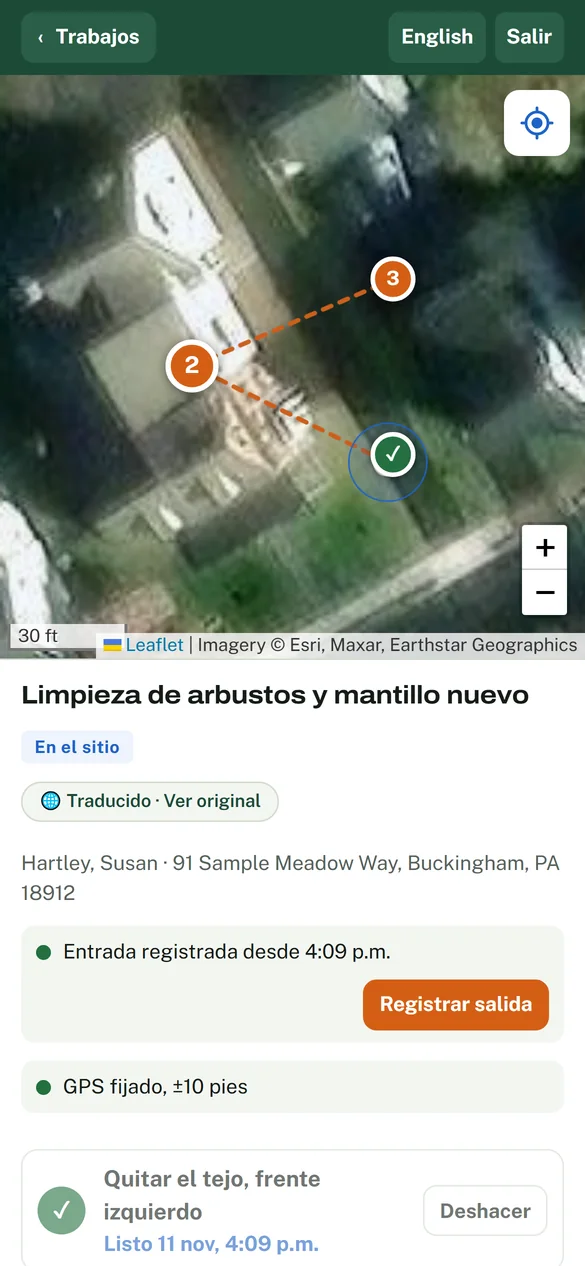
- Spanish on the crew phone
The site map
“Which shrub did you want gone?”
Never make that call again.
A work order says “remove shrubs, front bed.” The map shows which ones. The office, the customer and the crew all look at the same marked photo.
-
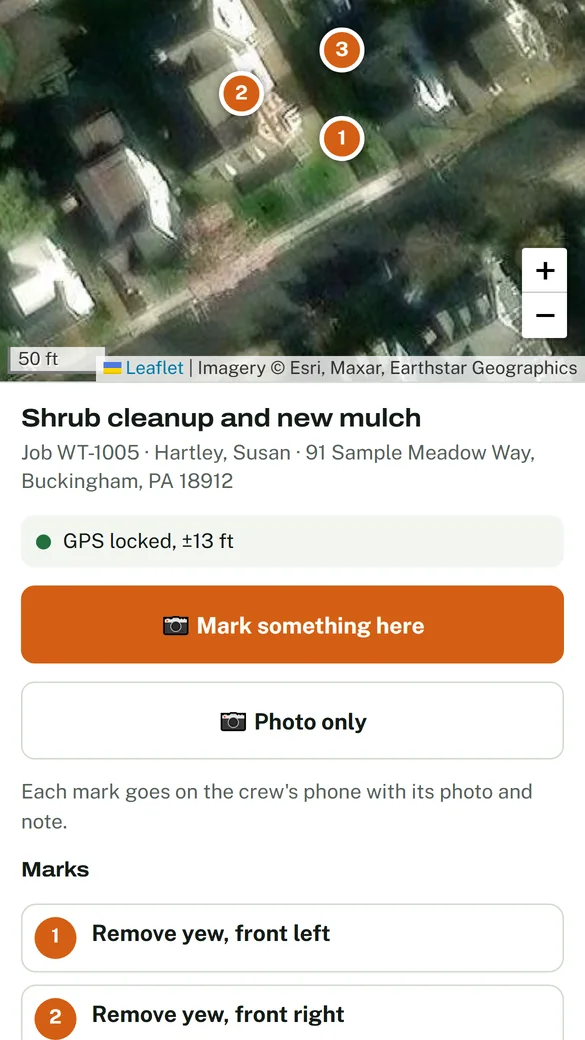
1 You walk it and mark it
Take a photo of each thing that needs doing and say what happens to it. Each one becomes a numbered mark on an aerial photo of the property.
-
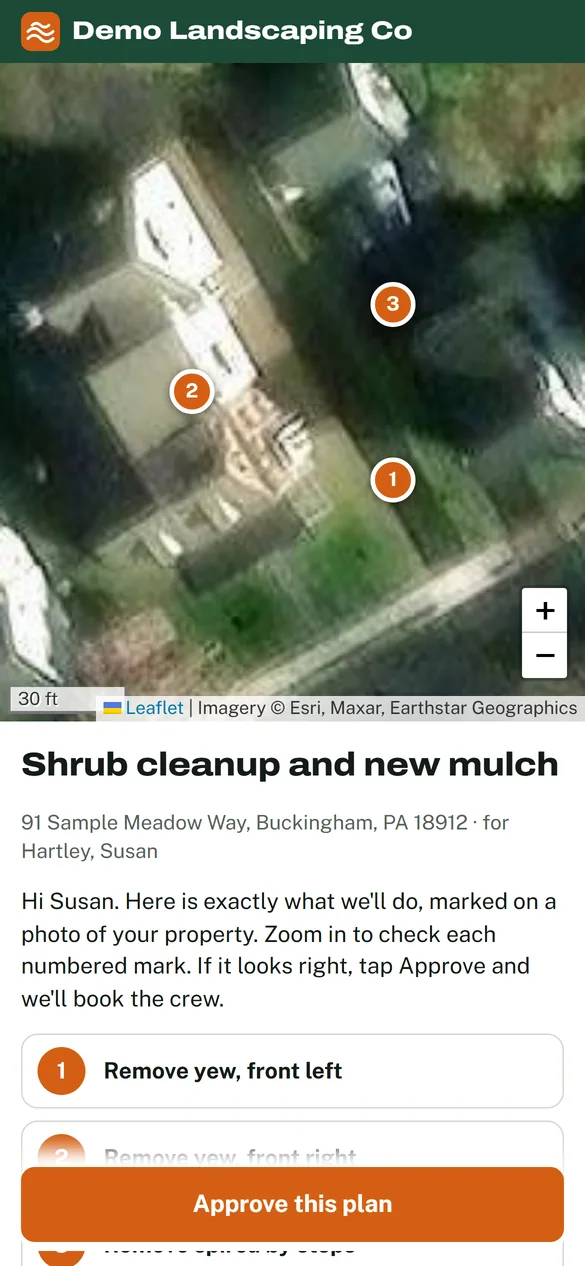
2 The customer approves it
They get that exact map on their phone and approve it. No app, and no login. Anything not marked stays as it is.
-
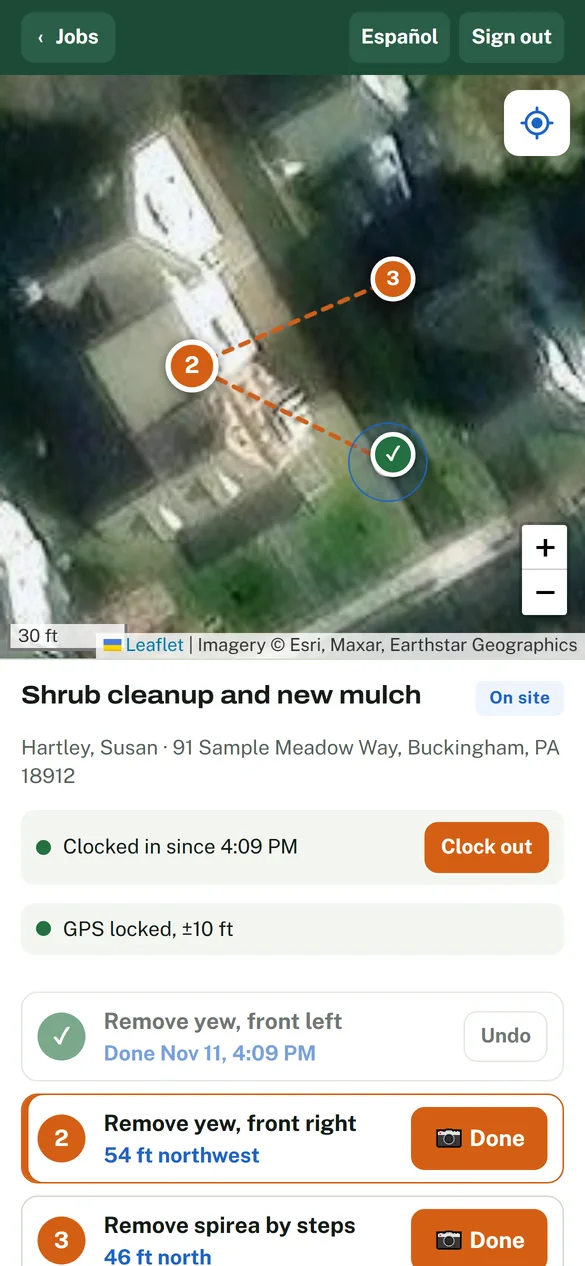
3 The crew works mark to mark
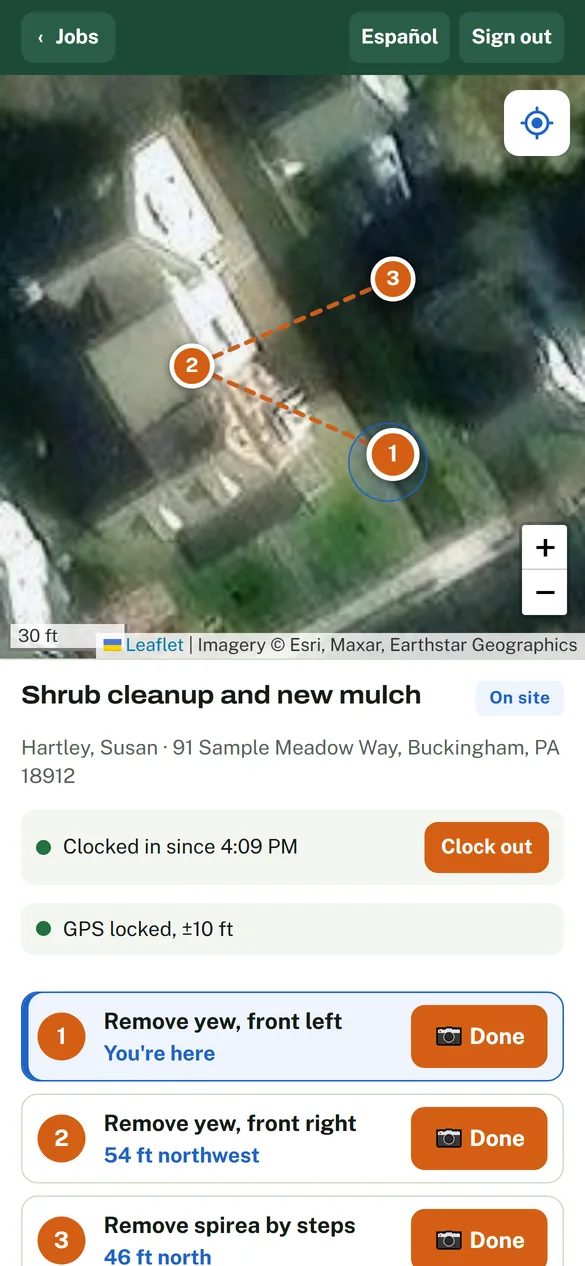
Their phone shows each mark's photo and note, how far away it is, and tells them when they're standing on it.
Job costing, while it's running
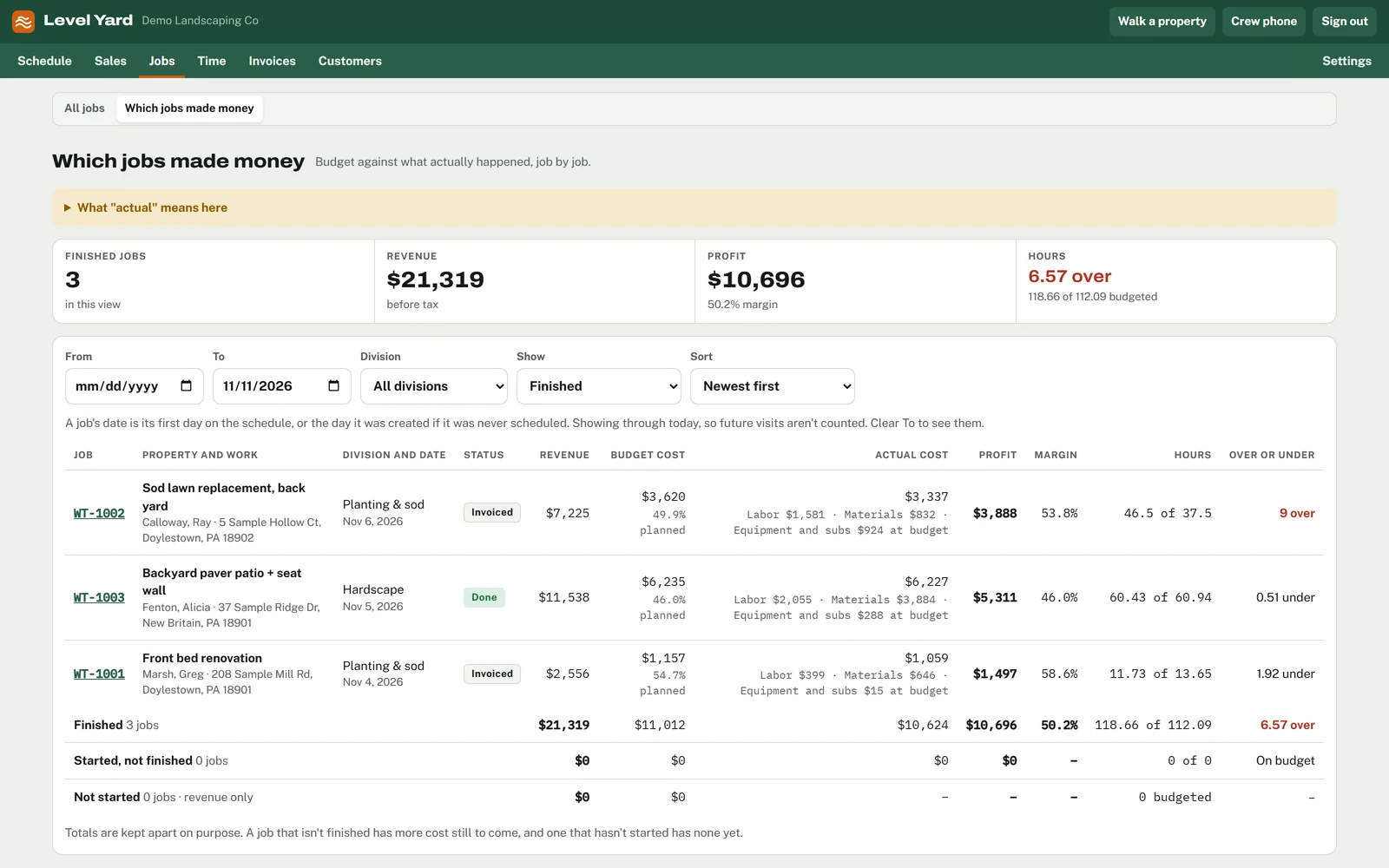
Know a job is running over while you can still fix it.
When a job runs over on hours, most owners find out when it's done, or at the end of the month. By then the money is already gone, and the next job gets priced without knowing how the last one went.
In Level Yard a won estimate becomes a job with an hours budget. Every hour the crew clocks counts against it that day. A job that goes over moves to the top of the list in red while the crew is still on site.
Retaining wall along the driveway
- Budgeted
- 30 h
- Clocked so far
- 39.7 h
- Over
- 9.7 h
Flagged Tuesday afternoon. One more day is still on the schedule.
Open the job and you get its hours and materials, day by day, against what you quoted.
How it works
One job, from the first call to the paid invoice.
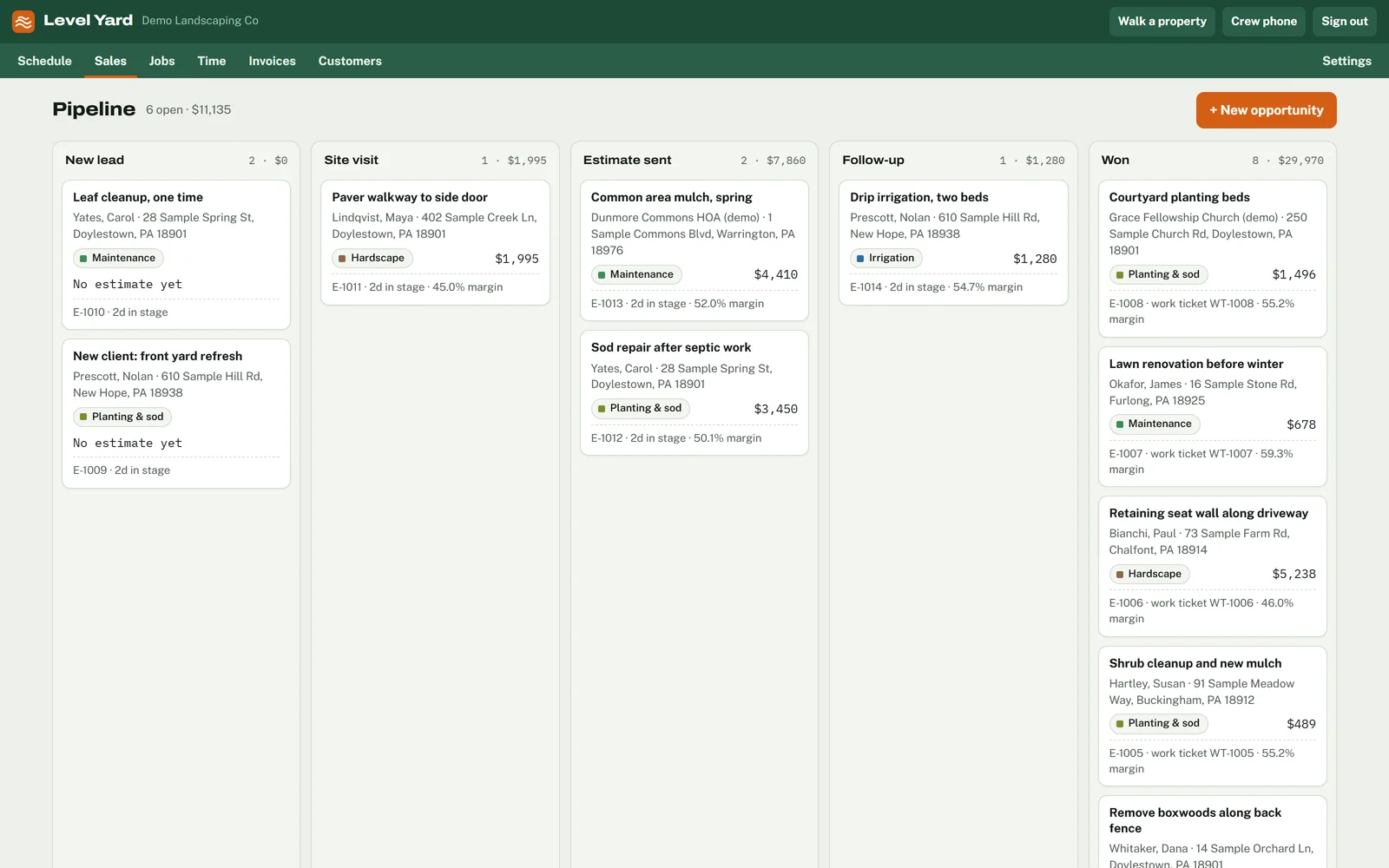
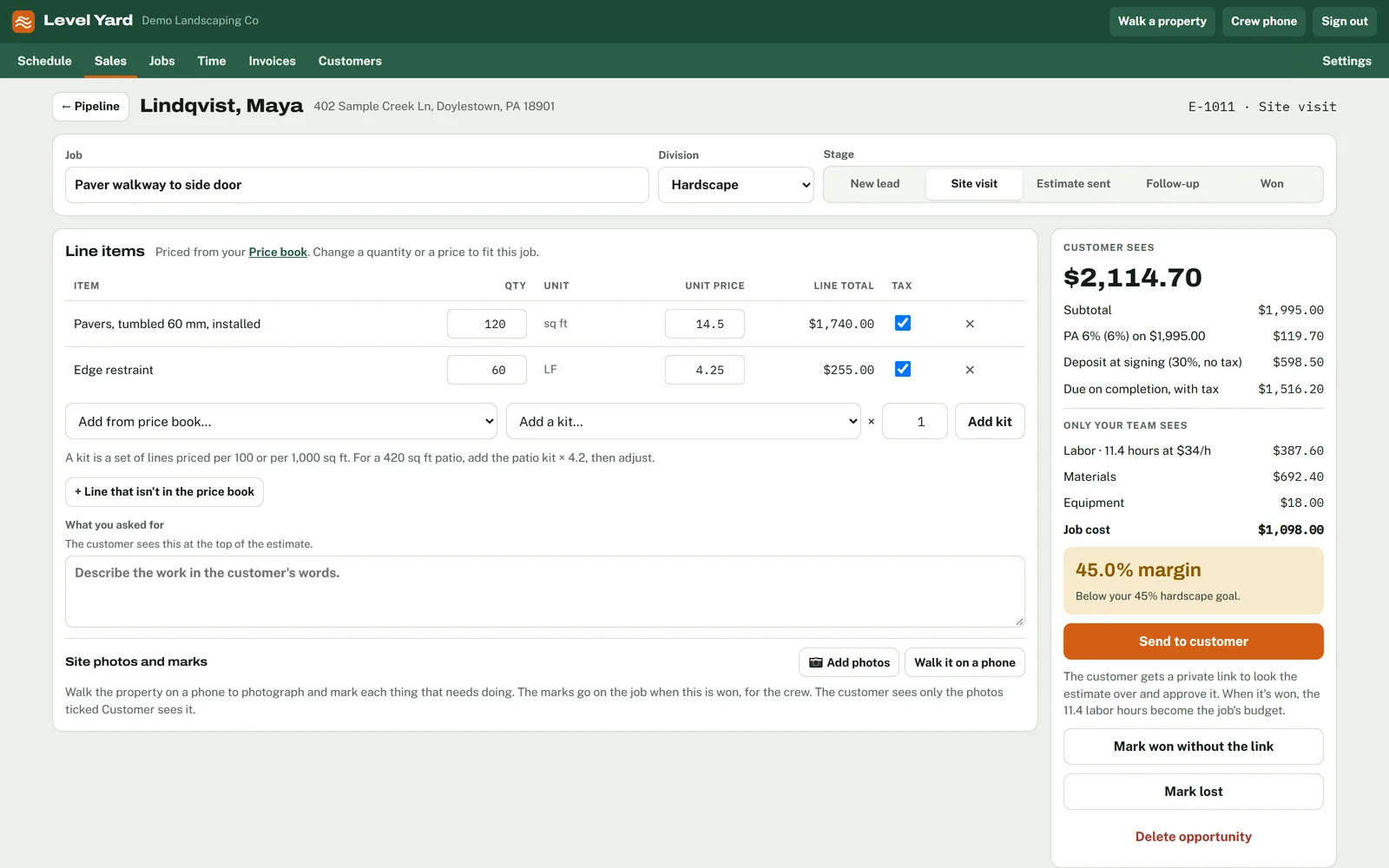
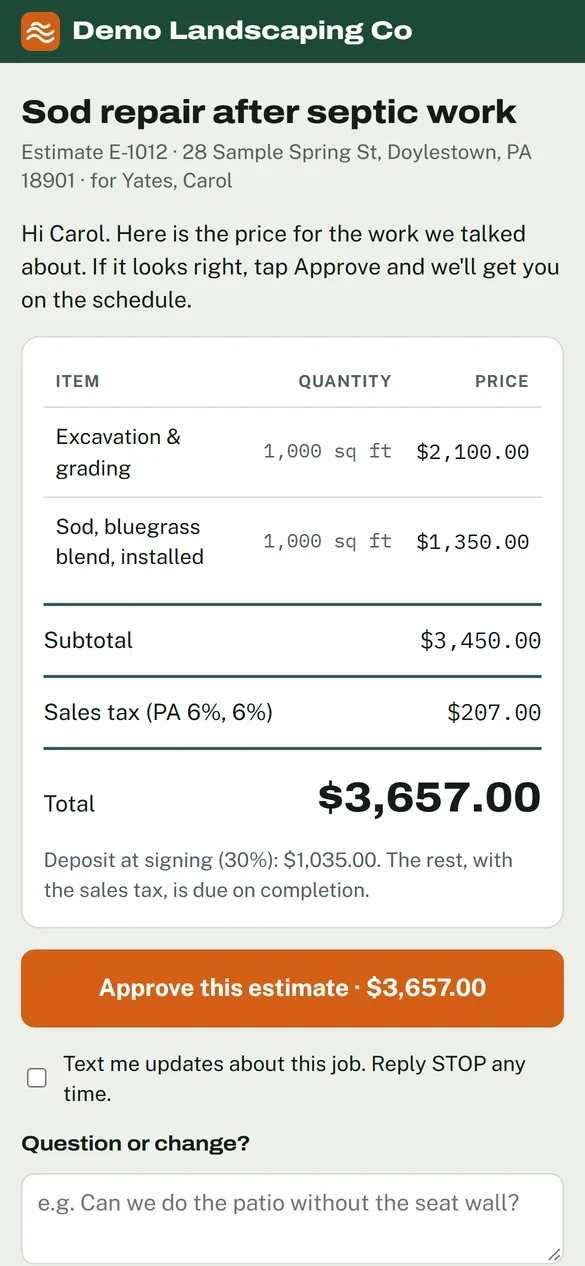
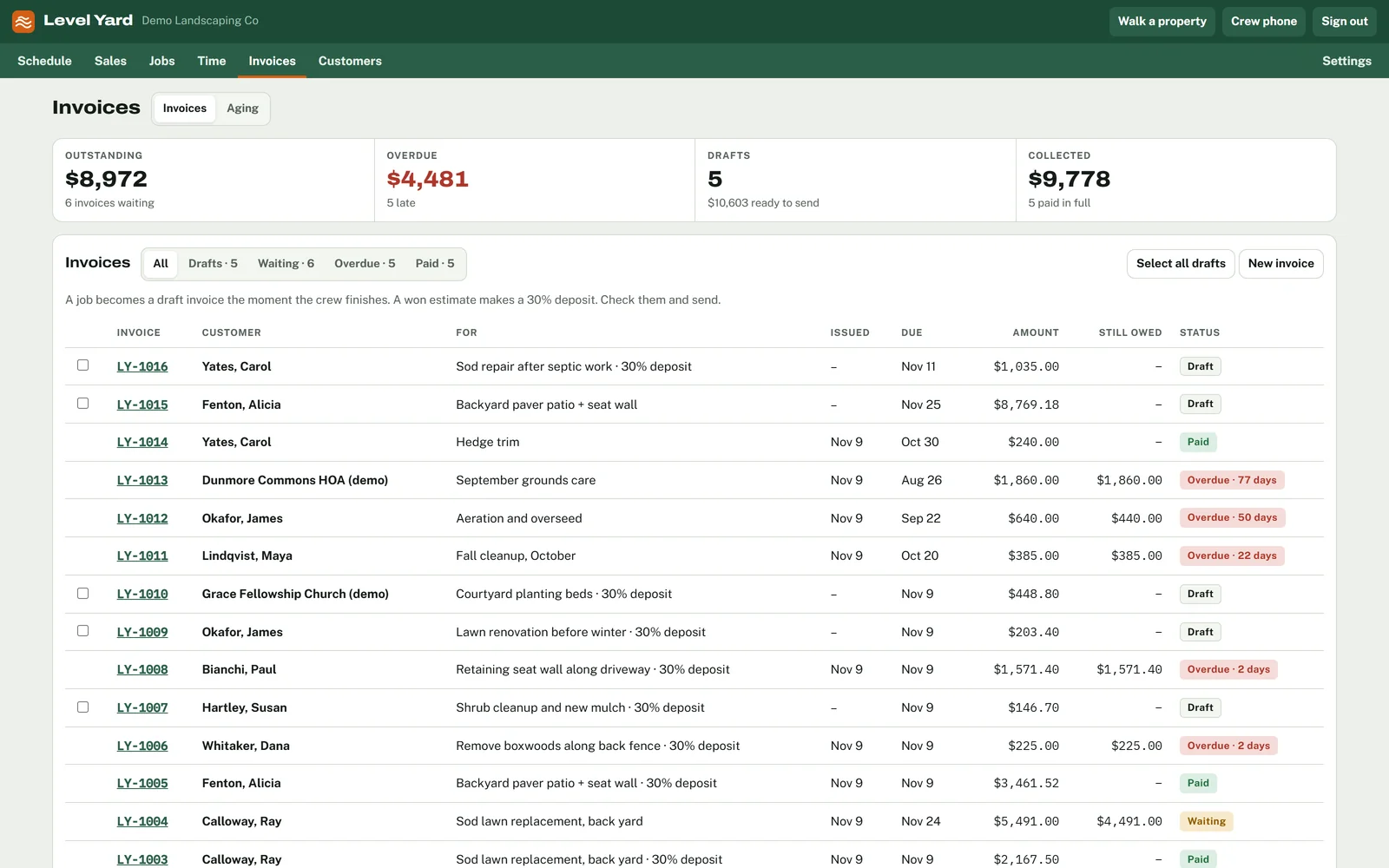
Nothing gets typed twice. The estimate becomes the job, the job becomes the invoice, and the invoice goes to QuickBooks.
QuickBooks
Your books stay where they are.
Level Yard works with QuickBooks Desktop and QuickBooks Online, at every team size. Customers come across, invoices and payments go over on their own, and the sales tax matches what QuickBooks charges.
No QuickBooks? Level Yard runs fine without it.
Getting started
- 1
Send your customer list. A QuickBooks export or a spreadsheet, as it is.
- 2
We bring it in. Customers, properties, your price book, crews, recurring maintenance and open jobs.
- 3
You run your jobs on it. Your books stay in QuickBooks the whole time.
-
QuickBooks Desktop
Pro, Premier and Enterprise
Syncs through the QuickBooks Web Connector on your office PC, every few minutes while that PC is on.
-
QuickBooks Online
One sign-in
The owner approves Level Yard at Intuit once. After that, changes cross straight away.
-
What syncs
- Customers
- Invoices
- Payments
- Sales tax
Also included
The rest of the week, handled.
Hours and payroll
Hours come straight off the phones. You approve them and export payroll for the week.
Works with no signal
A clock-in or a finished mark is saved on the crew's phone and sent when the signal comes back.
Spanish on the crew phone
Each person picks their language once. Your office can type job notes in Spanish too.
Maintenance visits
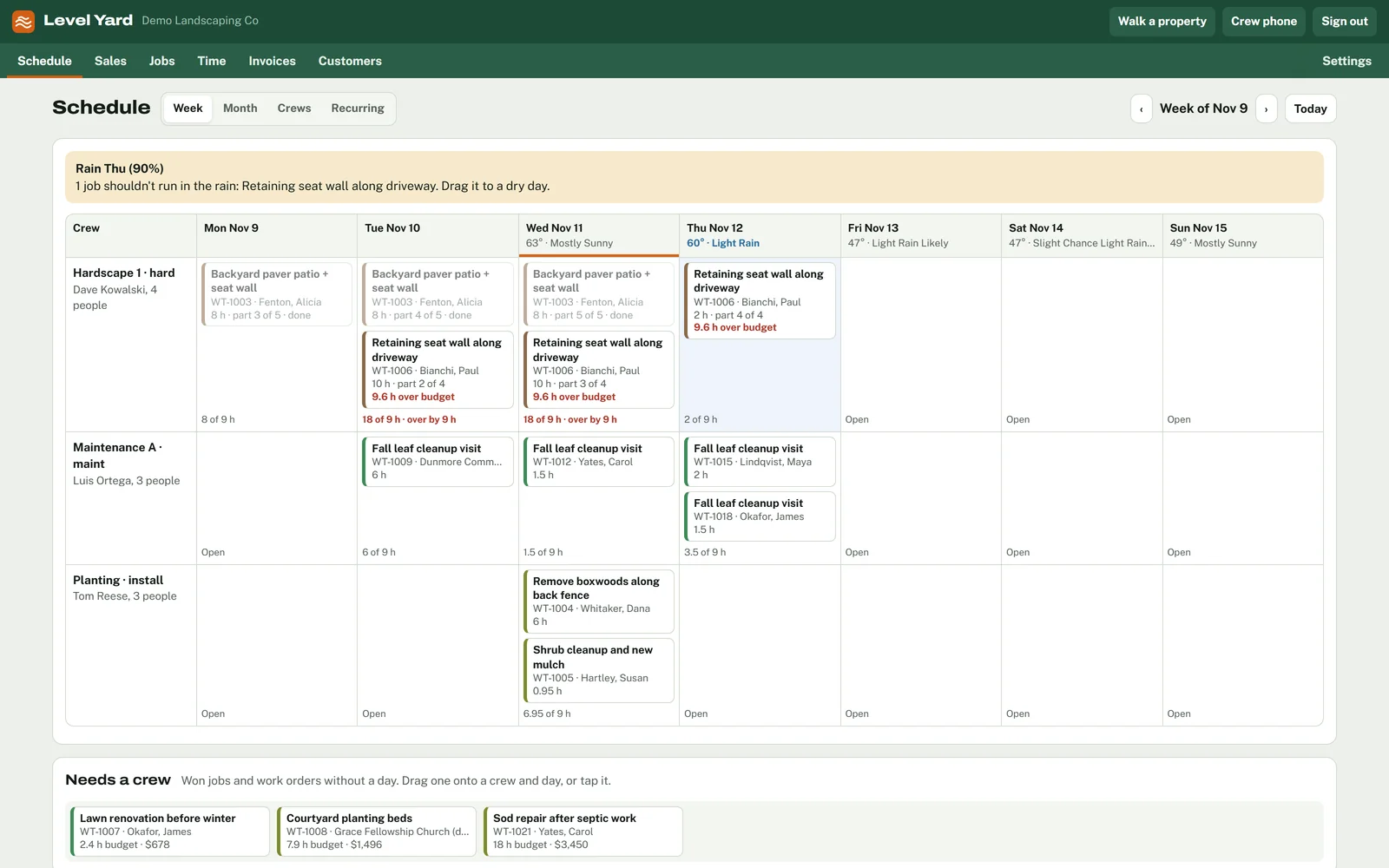
Weekly and seasonal visits sit on the same schedule as installs, crew by crew.
Rain on the schedule
The forecast sits above the week, with a warning on jobs that shouldn't run wet.
Everyone gets a login
Office, estimators and every crew member. Nobody shares a password to save a seat.
Pricing
Free to try this winter.
Level Yard is in early access, and it's free for the companies we set up this winter. After that, pricing stays simple.
How pricing works
- One monthly price, by team size
- Every feature at every size
- A login for every person
- QuickBooks Desktop and Online included
- Job costing while the job is running
- No add-ons and no per-user charges
Questions about pricing? Get in touch.
Questions
What owners ask.
Is it really free to try?
Yes. We're setting up a small number of landscaping companies this winter at no charge. In return we ask for honest feedback on what's missing.
When can we start?
We're onboarding the first companies now, ahead of spring. Request a trial and we'll schedule your setup.
Who is Level Yard for?
Landscaping companies with crews in the field, from a handful of people up to around fifty, doing maintenance, installs or both.
What's on the roadmap?
Snow, purchasing, equipment tracking and card payments. Level Yard covers estimate to invoice today, and features are built in the order owners ask for them.
QuickBooks Online or Desktop?
Both. Desktop syncs through a small program on your office PC while that PC is on. Online connects with one sign-in.
Does it handle sales tax?
Yes. You set your rates, each line is taxable or not, and it matches what QuickBooks charges. Your accountant should confirm what's taxable.
Will our crews actually use it?
The phone shows them today's jobs and one button to clock in. It works in English and Spanish, and it keeps working with no signal.
What happens to our data?
Your books stay in QuickBooks the whole time, and you can have a copy of everything else whenever you ask.
Early access
Try it on your own jobs.
We're setting up a limited number of Pennsylvania landscaping companies before the season starts. Winter is the time to try it, while there's still a spare hour.
- Free during early access
- Set up with your own customers and prices
- Your books stay in QuickBooks